

SmartHours
Set up your hours display
Setup Your SmartHours Display
Fill in a few details and we'll handle the rest.
What is your business called?
Choose your unique page link
lab007.ai/SmartHours/
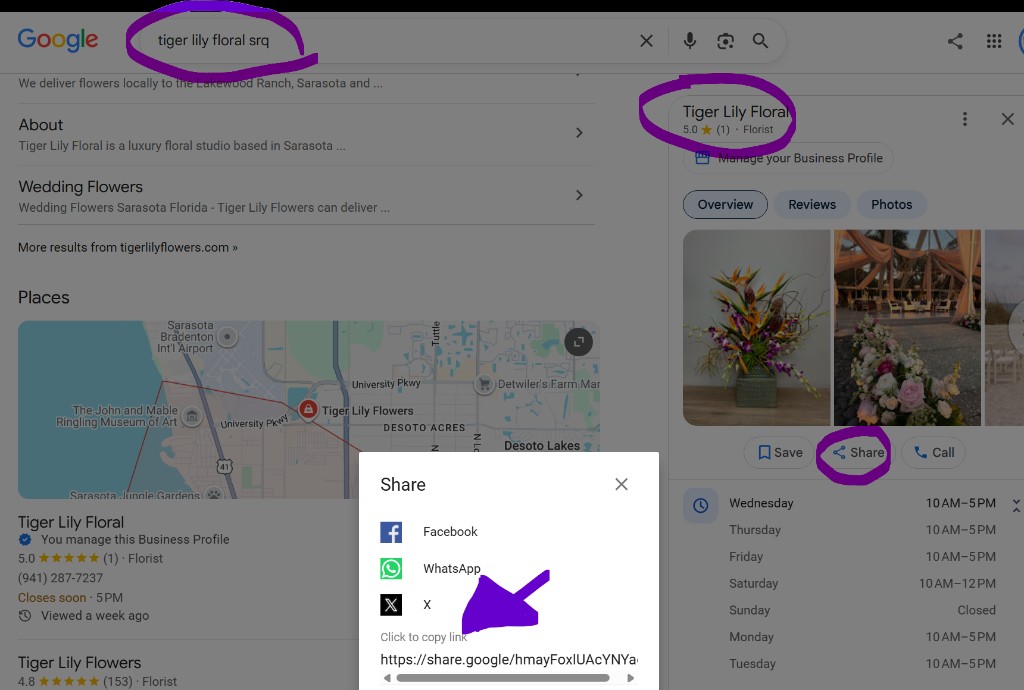
Paste your website, or Share from your Maps listing
We’ll send your secured 10-day portal link here
Already have a SmartHours display?
On a new phone or computer, enter the email used at signup. We’ll send a secured link to your portal. The link stays valid for 10 days.
Customer Info
Basic details about your business
Your unique link to access and manage your display.
We’ll look up Google hours from this site.
| Day | Closed | Split | Hours |
|---|
More tools
Canvas Settings
Customize how your SmartHours display looks.
Canvas to edit
Save updates this canvas. Save As copies it under a new name (up to 5).
Orientation
Design tools
Background
Add Elements
Display Settings
Control how your SmartHours display works.
This canvas is shown on the e-ink display.
How often the display content refreshes. The panel also schedules a wake at opening and at closing so OPEN/CLOSED flips on time.
How often to check Google for hour changes. Default 24 hours (daily). 0 turns auto-sync off. Google hours are stored at most 7 days; manual hours are kept.
Portrait or landscape on the wall.
Buttons facing up is 0° upright.
Overnight: sleeps 2 hours after close, wakes 2 hours before open. Also wakes at opening and at closing so OPEN/CLOSED flips on time.
Hours before opening that all displays wake and keep checking in. Default 2. Applies to every device.
Hours after closing that all displays still check in before deep sleep. Default 2. Applies to every device.
Email you when a display drops below 10%. Uses the email on Customer Info.
The first display that checks in for this URL sets the canvas size automatically.
Device Check-ins
| Status | Device | WiFi | Signal | IP | Battery | Days left | Customer ID | Poll | Last check-in | Actions |
|---|---|---|---|---|---|---|---|---|---|---|
| No devices have checked in yet. | ||||||||||
Live HTML page and the PNG the e-ink display downloads.
Devices
All displays that have checked in.
| Status | Device | Firmware | WiFi | Signal | IP | Battery | Days left | Customer ID | Poll | Last check-in | Actions |
|---|---|---|---|---|---|---|---|---|---|---|---|
| No devices have checked in yet. | |||||||||||
Image templates
Shared with every customer. Indexed by category and portrait/landscape — amend names or orientation here anytime.